
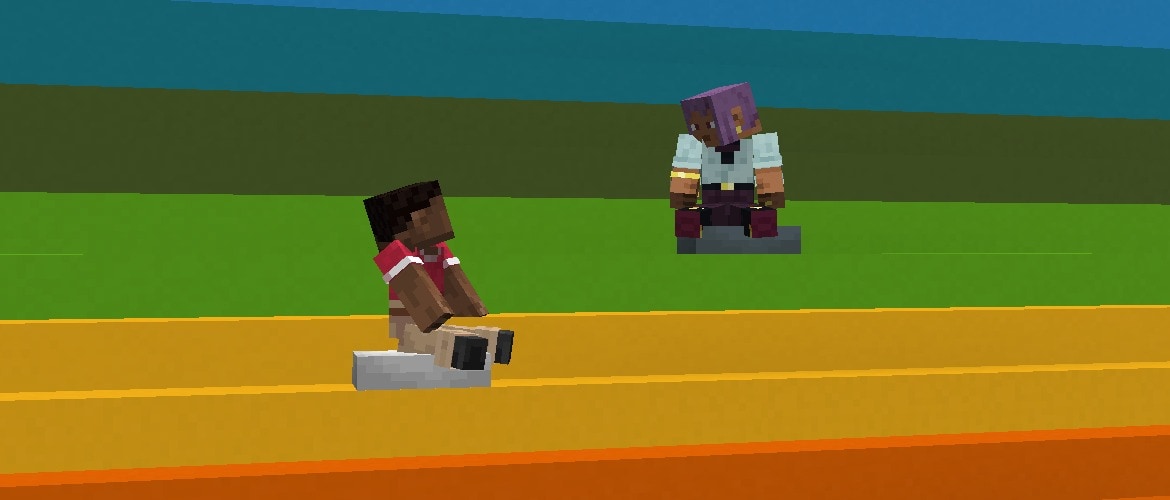

Step up your building and exploring with the final features entering testing! You can now find different maps in some abandoned camps and craft Concrete Stairs & Slabs in 16 colors. Out now in 26.3 Snapshot 7!
Happy exploring!
New Features
- Added Concrete Stairs and Concrete Slabs for all Concrete blocks
- New Explorer Maps have been added to the Abandoned Camps
Abandoned Camp Explorer Maps
- Added maps showing the location of other Abandoned Camps in the following biomes:
- Bamboo Jungle
- Cherry Grove
- Birch Forest
- Dappled Forest
- Flower Forest
- Pale Garden
- Swamp
- Windswept Forest
- Added maps for the following structures:
- Ancient City
- Trial Chambers
- Mineshaft
- Desert Pyramid
- Jungle Pyramid
- Warm Ocean Ruins
- Woodland Mansion
Changes
- Cushions no longer prevent vibrations when placed, broken or interacted with
- Updated loot table for the Abandoned Camp Barrel
- Replaced Firework Rocket with Gunpowder in Abandoned Camp Chest loot table
- The player icon on maps have been updated to always show the direction the player is facing
- Added support for Realms to use additional server regions in Canada, Mexico, South Africa, and Arizona, USA if they become available in the future
Explorer Maps
- Explorer Maps are now their own items instead of renamed Filled Maps, and each has its own icon:
- Ocean Explorer Map
- Woodland Explorer Map
- Trial Explorer Map
- Jungle Explorer Map
- Swamp Explorer Map
- Desert Village Map
- Plains Village Map
- Savanna Village Map
- Snowy Village Map
- Taiga Village Map
- Buried Treasure Map
- Ancient City Map
- Mineshaft Map
- Desert Pyramid Map
- Abandoned Campsite Map
- Warm Ocean Ruins Map
- Map and Empty Map have new icons
- These items cannot be obtained from the Creative inventory
- Existing Explorer Maps in old worlds are converted to the matching new item on load
- Explorer Maps can still be cloned in a Crafting Table, and the copies keep their own item type
- Explorer Maps and Buried Treasure Maps can no longer be zoomed out, neither in a Crafting Table nor at a Cartography Table
- Buried Treasure Maps could previously be zoomed out at both
- Explorer Maps could previously be zoomed out at a Cartography Table
- Only maps in the #minecraft:extendable_maps tag can be zoomed out
Technical Changes
- The Data Pack version is now 115.0
- The Resource Pack version is now 95.0
- level.dat now contains a version_history list with prior data versions of the file
Data Pack Version 115.0
- The following Block State fields has been renamed
- Name is now id
- Properties is now properties
- The default Block State of a Block can now be referred to in a compact form directly by the Block id
- minecraft:exploration_map no longer changes the type of the item it is applied to
Commands
Changes to swing
- When used on a player, the player's attack strength will no longer be reset
- Added a new optional argument to set the swing animation to play
- Allowed values: whack, stab
- If omitted, defaults to whack
- Added a new argument to set the duration of the swing animation, if provided
- Format: positive time value (by default in ticks)
- If omitted, defaults to 6t
Data Components
Added minecraft:attack_animation
- The animation to play when the item is being used to attack something
- Format: object with fields:
- type - swing animation type, one of whack or stab
- duration - positive integer, the length of the animation in ticks
Added minecraft:interact_animation
- The animation to play when the item is being used to interact with something
- Format: Same as minecraft:attack_animation
Removed minecraft:swing_animation
- This has been replaced by minecraft:attack_animation and minecraft:interact_animation
- The none swing animation type has been removed
- Existing items in the world will be migrated to using the default whack
- Setting both of these new components to the same value will be functionally identical to the old component, except for:
- The /swing command - animation type now specified by the command
- Items being dropped by entities
Removed minecraft:map_color
- Maps are no longer drawn as a tinted overlay, so there is nothing left for the color to apply to
- Existing maps have the component stripped on load
- See the Resource Pack section for the matching removal of the minecraft:map_color tint source
Loot Functions
Changed minecraft:exploration_map
- The map_color field has now been removed
- The function no longer changes the type of the item it is applied to - it now only adds map data to the existing item
- Previously it required a minecraft:map and produced a minecraft:filled_map
- The item to produce is now chosen by the loot entry or villager trade itself, so a data pack that produced exploration maps has to change its item from minecraft:map to minecraft:filled_map (or one of the explorer map items)
- If no matching structure is found, the item is left without a minecraft:map_id - use minecraft:filtered with minecraft:discard_item to drop those, as the vanilla loot tables and villager trades now do
Density Functions
- Density Functions and noises are no longer evaluated with double-precision floating point values, but instead with single-precision
- This affects all intermediate steps, not just the final result
Developer's Note: _We are aware that the details of floating point rounding have been used in some Data Packs, and this change may affect specific configurations. We have introduced alternatives for the use-cases that we are aware of, but please do share with us on feedback.minecraft.net or in the feedback Discord if you encounter use-cases that are no longer possible to support.
Tags
Block Tags
- Added #concrete_stairs - All Concrete Stairs blocks
- Added #concrete_slabs - All Concrete Slabs blocks
Item Tags
- Added #concrete_stairs - All Concrete Stairs items
- Added #concrete_slabs - All Concrete Slabs items
- Added #cloneable_maps - Filled Map plus all Explorer Map items and Buried Treasure Maps, used as the input to the map_cloning recipe
- Added #extendable_maps - maps that can be zoomed out with paper, either in a Crafting Table or at a Cartography Table
Resource Pack Version 95.0
Item Sprites
- Removed item/filled_map_markings.png
Map Sprites
- Added new Map textures:
- abandoned_camp.png
- ancient_city.png
- desert_pyramid.png
- mineshaft.png
- warm_ocean_ruins.png
- The following Icons have been updated in order to show player rotation on the map:
- /player.png
- /player_off_limits.png
- /player_off_map.png
Item Models
Tint Sources
- Removed minecraft:map_color
- The minecraft:map_color component it read no longer exists
Order-independent Transparency (OIT)-related Shader Changes
Renamed defines:
- OIT_WAVELET_RANK - was previously WAVELET_RANK
- OIT_COEFF_COUNT - was previously COEFF_COUNT
- OIT_COEFF_ATTACHMENT_COUNT - was previously COEFF_ATTACHMENT_COUNT
Fixed bugs in 26.3 Snapshot 7
- MC-121375 - The Command (⌘) key on macOS is displayed as "Win" in the key binds screen
- MC-189953 - The Super key on macOS is displayed as "Win" in the key binds screen
- MC-218156 - Shipwrecks and ocean ruins can generate with empty buried treasure maps
- MC-276079 - Sending a swing packet to the client causes it to send one back to the server
- MC-302271 - Sniffers stop sniffing after relog
- MC-302661 - Interacting with something while holding spears plays the spear jab animation
- MC-302687 - Throwing items out of your inventory while holding spears plays the spear jab animation
- MC-302705 - Having a spear in the main hand affects the hand animation speed for items held in the off hand
- MC-304213 - Zombies, husks and drowned hold out the incorrect arm when holding spears
- MC-304920 - Spears in third person look wrong when the left hand is the main hand
- MC-309644 - Some textures of geyser plume particles still use inconsistent colors
- MC-309671 - Shelf mushrooms still use the wrong sounds
- MC-309679 - Cushions can be used to see through blocks
- MC-309732 - The straw_bed_head block model is stored in two directories
- MC-309797 - Cushions can be placed inside full blocks when the player's head intersects them
- MC-309875 - New translations for the tooltip of the "Improved Transparency" option are wrongly backported
- MC-309931 - Placed cushions face inconsistent directions
- MC-310057 - Pressing the "Advancements" key bind while its menu was opened from the pause menu closes both menus
- MC-310062 - Armadillos do not follow players holding spider eyes
- MC-310094 - The decimal point keypad key is displayed as "key.keyboard.99" in the key binds menu
- MC-310105 - The Menu key is displayed as "key.keyboard.101" in the key binds menu
- MC-310109 - The keypad plus-or-minus key is still not prefixed with "Keypad"
- MC-310110 - The keypad left and right parentheses keys are still not prefixed with "Keypad"
- MC-310112 - Using a Nether portal in Spectator mode while spectating an entity teleports the player to the incorrect location
- MC-310118 - Pressing Windows+D to minimize all windows makes the game no longer visually update with the Vulkan rendering backend
- MC-310337 - The game log outputs the incorrect minimum format version requiring the pack_format field in pack.mcmeta
- MC-310358 - The conditions for depthBiasEnable differ between OpenGL and Vulkan
- MC-310529 - The World Options menu UI breaks when resizing the game window
- MC-310532 - Trying to lock the difficulty of the world resets the difficulty
- MC-310536 - The category headers in the World Options screen are formatted inconsistently with other settings screens
- MC-310550 - Command+W on macOS now closes the window
- MC-310553 - The campsite_wooded_badlands_4 and campsite_swamp_2 abandoned camp structures contain overlapping cushions
- MC-310556 - Pressing Alt+F4 closes the game window on kwin_wayland even when the "Quit Shortcuts" option is disabled
- MC-310590 - Adding the entity_outline post effect to the player, restarting the game, and entering the same world causes the game to crash
- MC-310595 - The Option key on macOS is displayed as "Alt" in the key binds screen
- MC-310610 - Several abandoned camp structures contain underwater oxidized copper chests that are not waterlogged
Get the Snapshot
Snapshots are available for Minecraft: Java Edition. To install the Snapshot, open up the Minecraft Launcher and enable snapshots in the "Installations" tab.
Testing versions can corrupt your world, so please backup and/or run them in a different folder from your main worlds.
Cross-platform server jar:
Report bugs here:
Want to give feedback?
- For any feedback and suggestions, head over to the Feedback site. If you're feeling chatty, join us over at the official Minecraft Discord.
Partager cette publication